If / Else
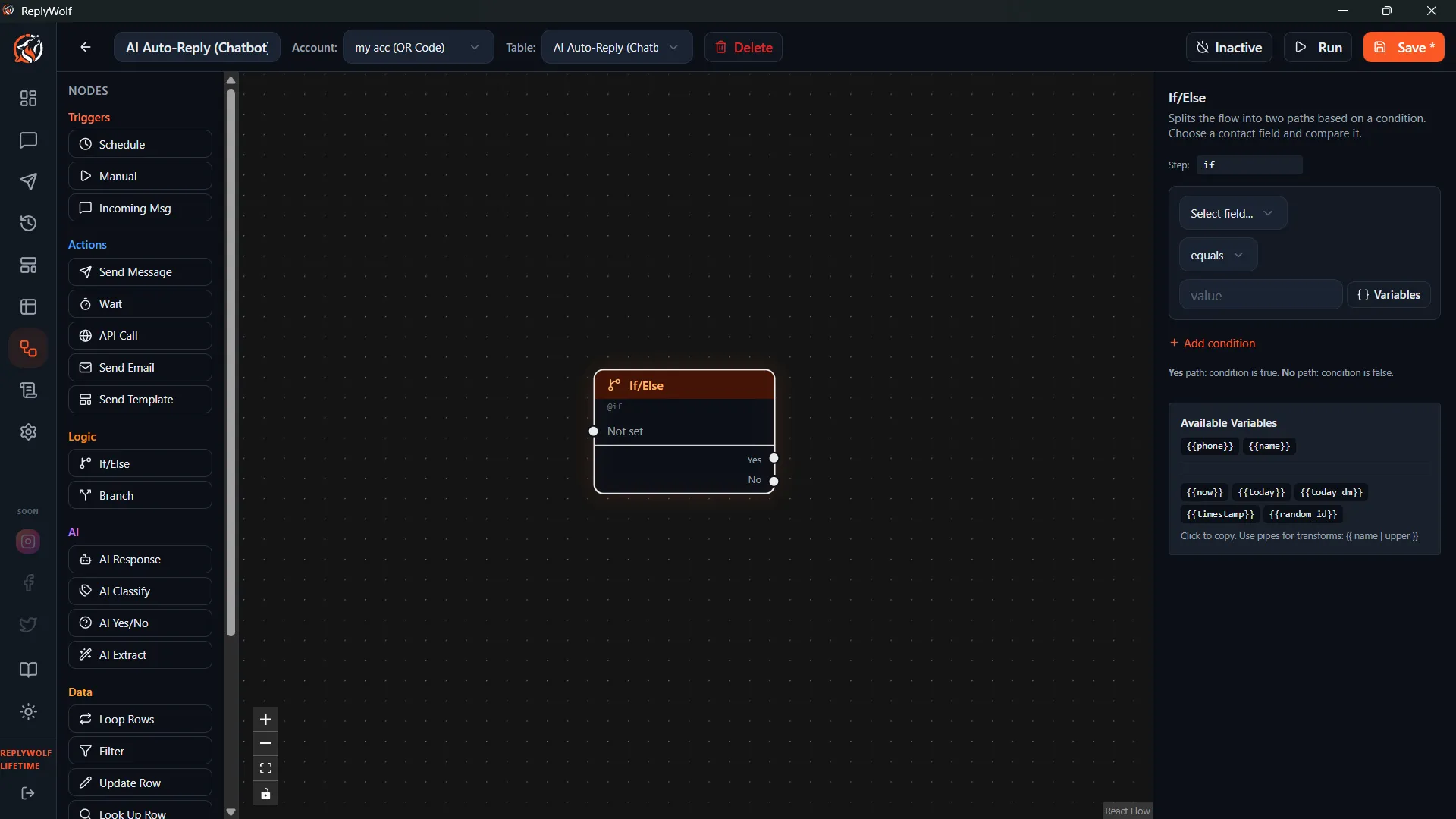
The If / Else node is a standard conditional branch based on contact data. It checks exact values and routes the flow down one of two paths.
How It Works
- You define one or more conditions.
- The node evaluates them against the current contact's data.
- The flow continues down either the true or false output handle.
Configuration
Conditions
Each condition has three parts:
- Field — which contact field to check
- Operator — how to compare (see the full list below)
- Value — what to compare against
Mode
- ALL — Every condition must be true. (AND logic)
- ANY — At least one condition must be true. (OR logic)
Available Operators
| Operator | Description |
|---|---|
equals | Exact match |
not_equals | Does not match |
contains | Field contains the value |
not_contains | Field does not contain the value |
starts_with | Field starts with the value |
ends_with | Field ends with the value |
greater_than | Numeric or date comparison |
less_than | Numeric or date comparison |
not_empty | Field has a value |
is_empty | Field is blank |
regex_match | Matches a regular expression |
in_list | Field value is in a comma-separated list |
between | Value falls between two bounds |
is_true | Boolean field is true |
is_false | Boolean field is false |
Output Handles
- True — conditions are met
- False — conditions are not met
If / Else vs. AI Condition
These two nodes both split the flow into two paths, but they work very differently:
| If / Else | AI Condition |
|---|---|
| Compares exact data values | Uses AI judgment |
payment_status equals "paid" | "Does this customer sound happy?" |
| Fast and deterministic | Requires an AI call |
| Use for structured data | Use for unstructured text |
Use Cases
- If
payment_statusequals"paid"— send a thank-you message. Else — send a payment reminder. - If
follow_up_countisgreater_than3— stop following up. Else — send another follow-up. - If
emailisnot_empty— send an email confirmation. Else — ask for their email. - If
membershipisin_list"Gold, Platinum"— send VIP offer. Else — send standard offer.
Tips
- Use ALL mode to require multiple conditions (e.g., status is active AND follow_up_count is less than 3).
- Use ANY mode for flexible matching (e.g., source is "website" OR source is "referral").
- For more than two branches, consider the Branch (Switch) node instead.