Incoming Message Trigger
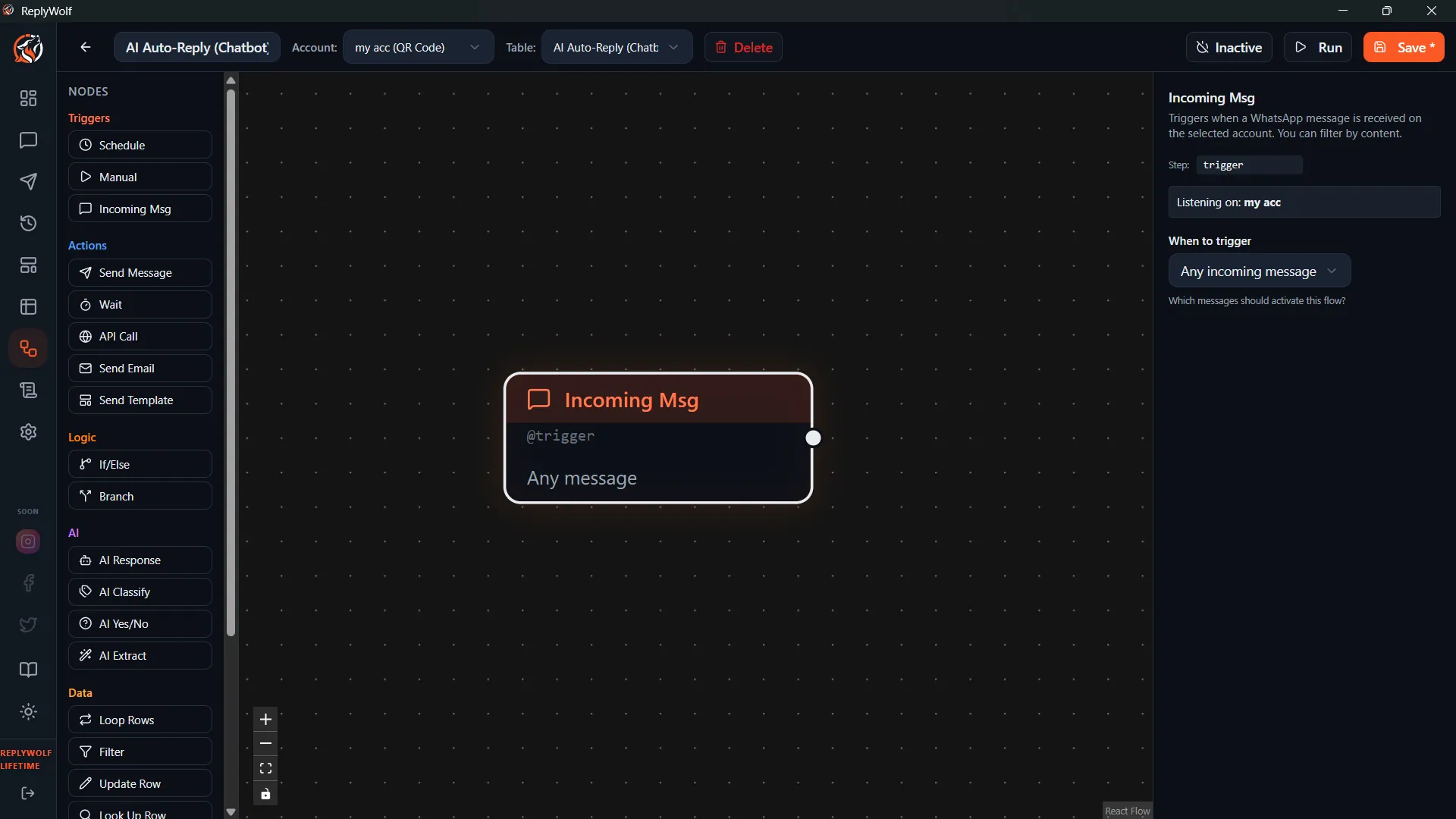
The Incoming Message Trigger fires whenever a WhatsApp message is received on your connected account. You can filter which messages activate the flow by setting a match pattern.
Match Patterns
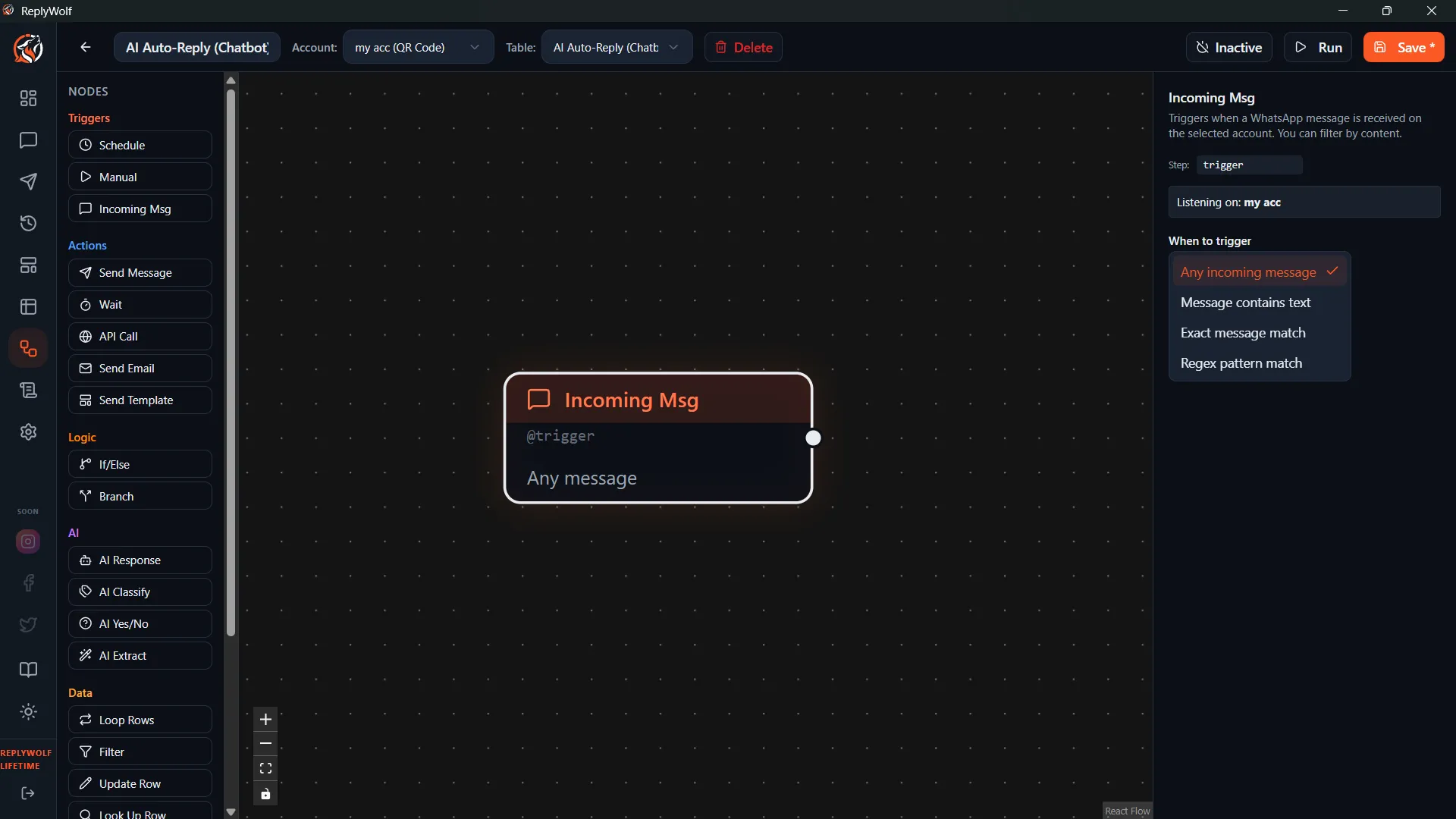
You control which incoming messages trigger the flow by choosing a match pattern:
| Pattern | Description | Example |
|---|---|---|
| Any message | Fires on every incoming message, no filter applied. | — |
| Contains | Fires if the message contains the specified text anywhere. | pricing matches "What is your pricing?" |
| Exact match | Fires only if the message is exactly the specified text. | STOP matches "STOP" but not "please STOP" |
| Regex | Fires if the message matches a regular expression pattern. | ^(yes|confirm)$ matches "yes" or "confirm" |
All matching is case-insensitive. "Hello", "hello", and "HELLO" are treated the same.
Available Data
When the trigger fires, it provides data that you can use in downstream nodes with {{variable}} templates:
| Variable | Description |
|---|---|
{{incoming_message}} | The full text of the received message |
{{sender_phone}} | The phone number of the person who sent the message |
Use Cases
- Auto-reply bots — Respond instantly to common questions like "hours", "pricing", or "location".
- Lead capture — When someone messages a keyword, add them to a table and send a welcome message.
- Customer service — Route incoming messages through AI classification and respond accordingly.
- Opt-out handling — Detect "STOP" or "unsubscribe" and flag the contact.
Tips
- Start with Any message while testing, then narrow down to a specific pattern once your flow is working.
- Use the Regex pattern when you need flexible matching, like accepting multiple keywords with one trigger.
- Combine with the AI Classify or AI Condition nodes to build intelligent auto-reply systems.