HTTP Request
The HTTP Request node makes an HTTP request to any URL — a webhook endpoint, a REST API, a CRM, or any other web service. It lets your flows interact with the outside world.
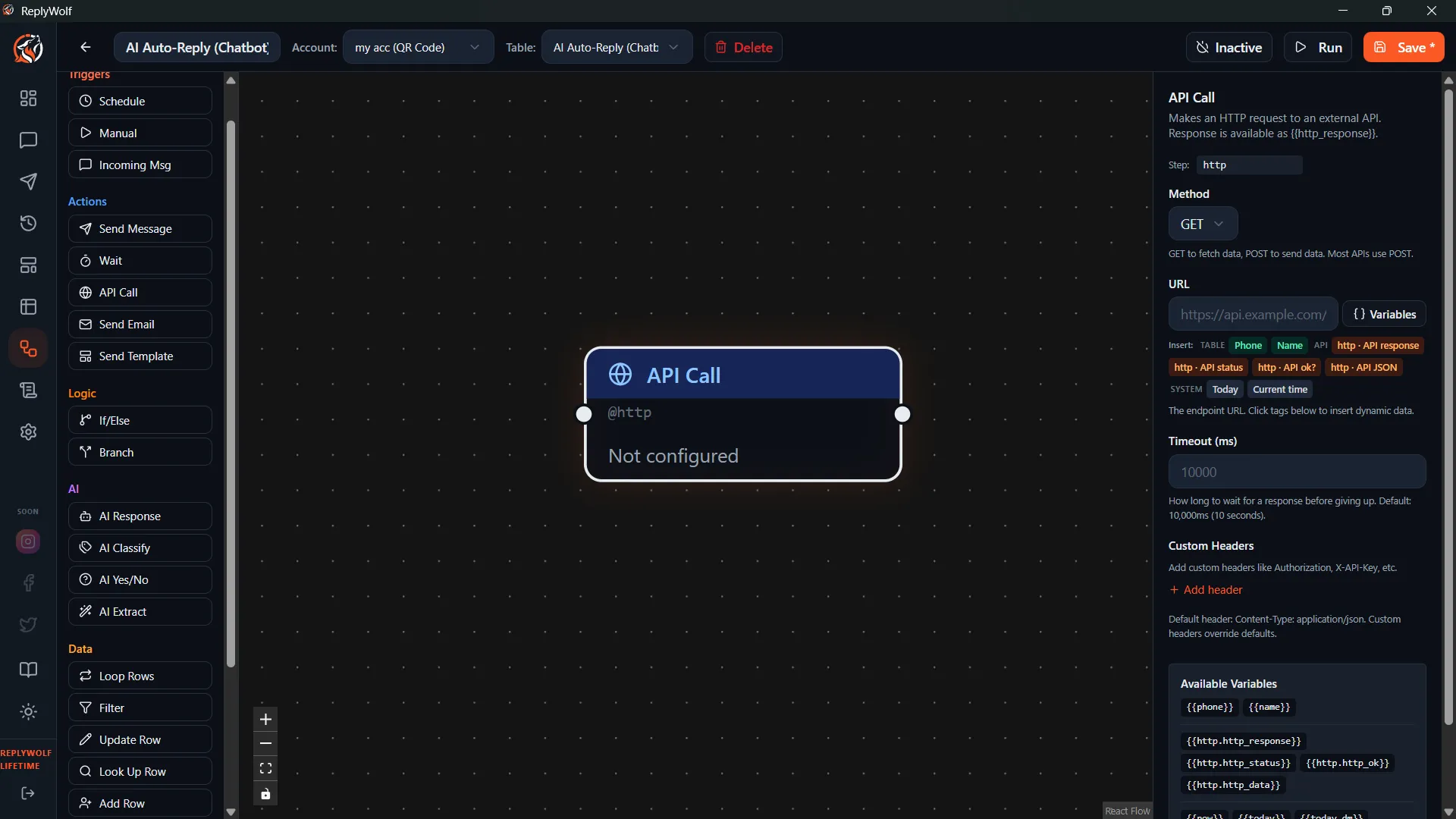
Configuration
| Setting | Description |
|---|---|
| Method | The HTTP method: GET, POST, PUT, or DELETE. |
| URL | The full URL to send the request to. Supports {{variable}} templates. |
| Headers | Optional. HTTP headers in JSON format. Supports {{variable}} templates. |
| Body | Optional (for POST and PUT only). The request body content. |
Variable Support
The URL and Headers fields both support {{variable}} templates, so you can insert contact data or output from previous nodes directly into your request.
For example:
https://api.example.com/contacts/{{phone}}?status=active
Or in headers:
{
  "Authorization": "Bearer {{api_token}}",
  "Content-Type": "application/json"
}
Response Output
The response from the HTTP request is available as output for downstream nodes. You can use this data in later steps of your flow — for example, to send a message that includes information fetched from an external API.
Limits and Security
- Timeout: Requests time out after 10 seconds. Make sure the endpoint you are calling responds quickly.
- Allowed protocols: Only
http://andhttps://URLs are allowed. Other protocols are blocked for security.
Use Cases
- Trigger external webhooks — Notify another system when a message is received or a flow runs.
- Fetch data from APIs — Pull in real-time data (order status, account info, weather) and use it in your messages.
- Sync with a CRM — Push contact data or conversation events to Salesforce, HubSpot, or any other system with an API.
- Log events — Send flow activity to a logging service or Google Sheet via webhook.
Tips
- Test your endpoint separately (using a tool like Postman or curl) before adding it to a flow, so you know the URL, headers, and body format are correct.
- Use
POSTwith a JSON body for webhook integrations — most webhook services expect this format. - Keep your API keys and tokens secure. If you are hardcoding credentials in headers, make sure only trusted users have access to your flows.