Wait / Delay
The Wait / Delay node pauses the flow for a specified number of seconds before moving on to the next node. It gives you control over timing within your flow.
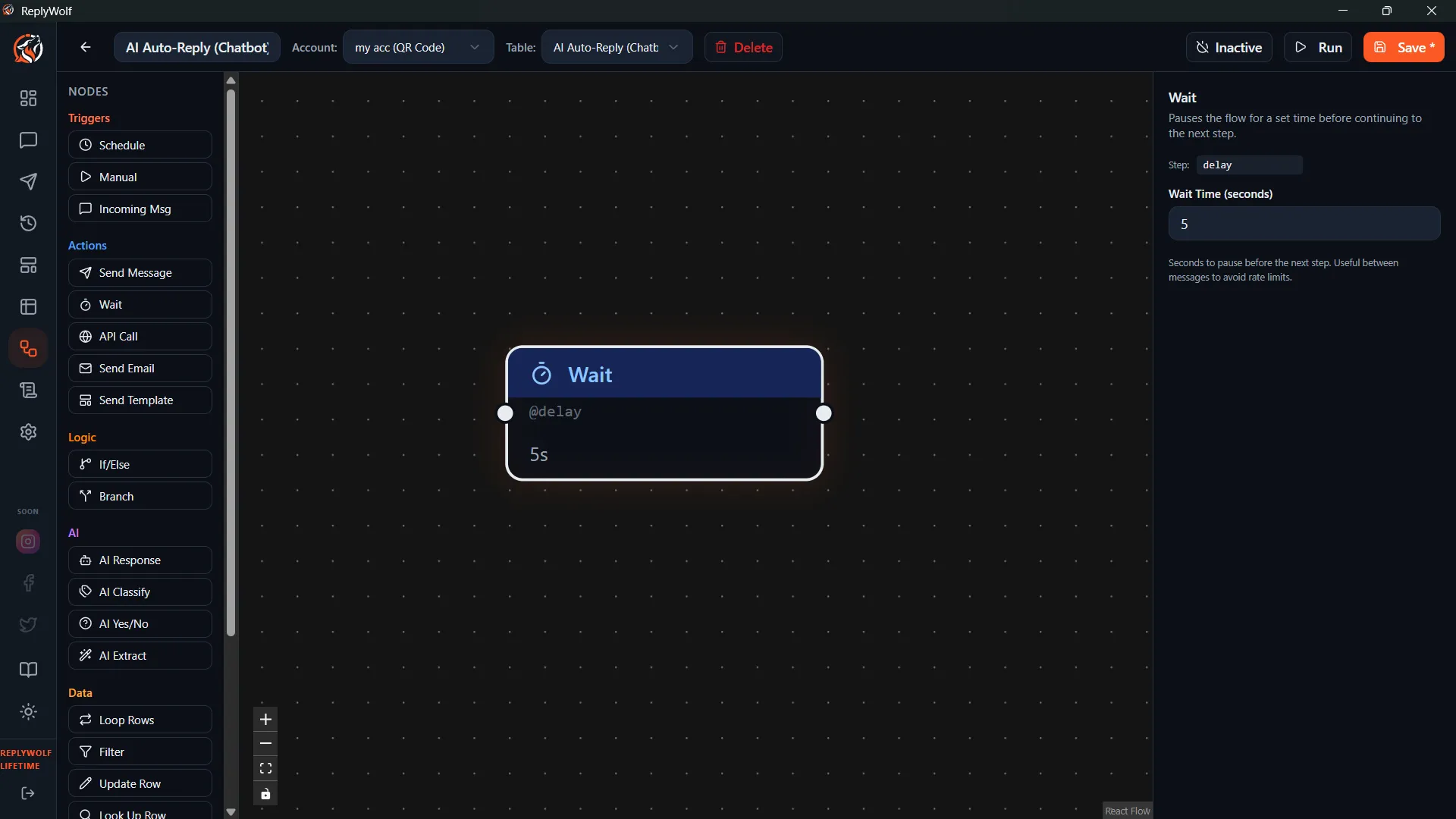
Configuration
| Setting | Description |
|---|---|
| Seconds | How long to pause, in seconds. Maximum: 55 seconds. |
The maximum delay is 55 seconds to avoid execution timeouts.
Use Cases
- Natural pacing — Add a short pause between messages so they do not arrive all at once, which can feel robotic.
- Rate-limit compliance — Space out API calls or messages to stay within rate limits.
- Sequential timing — Wait a moment after checking a condition before taking action, giving external systems time to update.
Example
A flow that sends a greeting and then a follow-up message with a brief pause in between:
Send Message ("Hi {{name}}!") --> Wait / Delay (5 seconds) --> Send Message ("Here's the info you requested...")
This makes the conversation feel more natural than sending both messages simultaneously.
Tips
- Keep delays short and purposeful. A 3–10 second delay is usually enough to add a natural feel.
- If you need a longer wait (minutes or hours), consider splitting your logic into separate flows with different schedule triggers instead of chaining long delays.
- The 55-second maximum is a hard limit. If you need more than 55 seconds, chain multiple Wait / Delay nodes together.