Opt-Out Keywords
Opt-out keywords let contacts unsubscribe from your automated messages by sending a simple word like "STOP." This is an important feature for GDPR compliance and good messaging practices.
How It Works
- You define a list of opt-out keywords (e.g., STOP, UNSUBSCRIBE, QUIT).
- When a contact sends a message that contains one of these keywords, ReplyWolf automatically marks them as opted out.
- Opted-out contacts are skipped in all flows and campaigns — they won't receive any more automated messages.
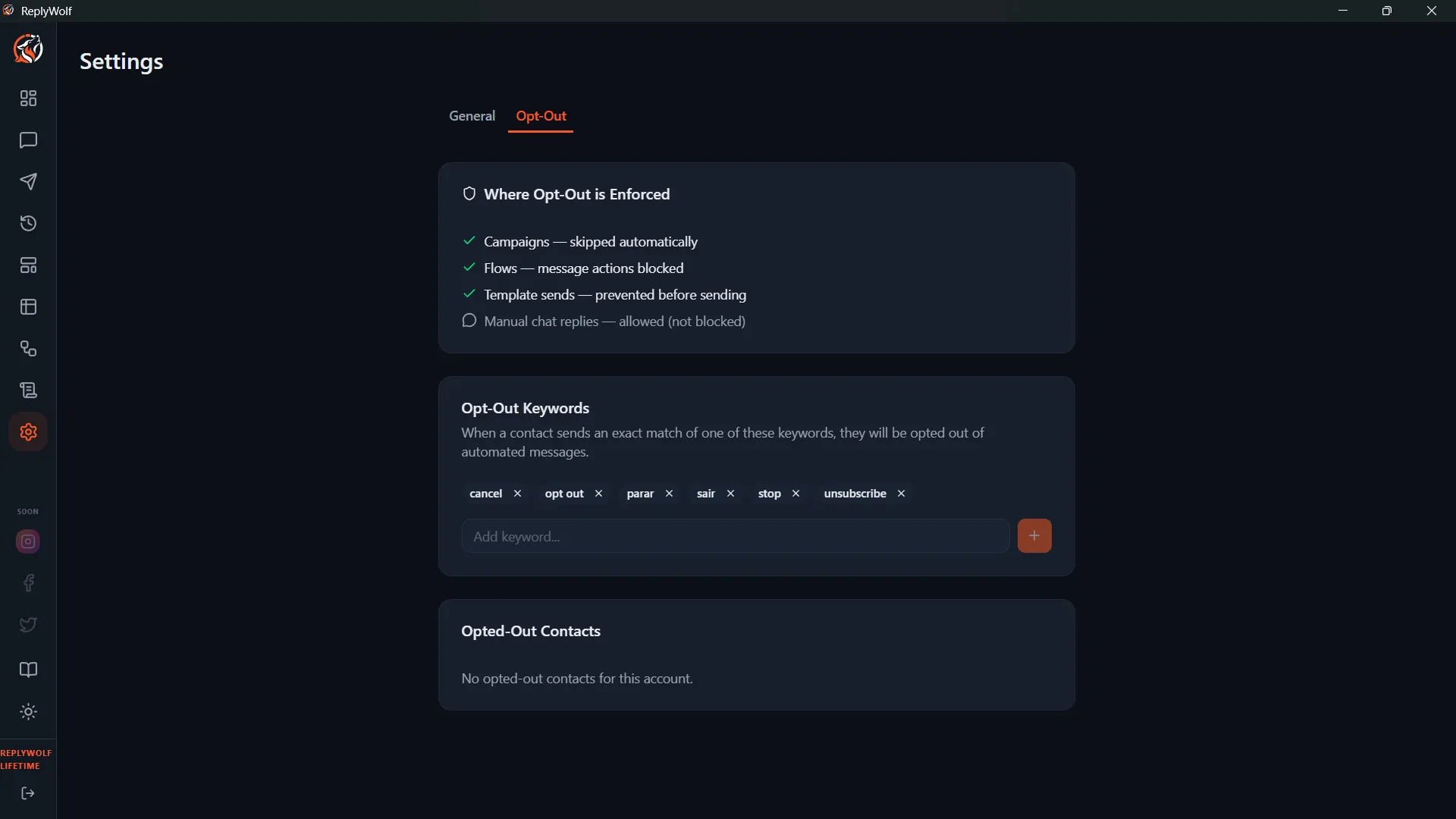
Configuring Keywords
Go to Settings and find the Opt-Out Keywords section. Add the words you want to recognize. Common choices include:
- STOP
- UNSUBSCRIBE
- QUIT
- CANCEL
- OPT OUT
Keywords are case-insensitive, so "stop," "Stop," and "STOP" all work the same way.
Opted-Out Contacts
In the Chat Interface
Opted-out contacts show an indicator in the chat view so you can see their status at a glance.
In Flows and Campaigns
When a flow or campaign encounters an opted-out contact, it automatically skips them. You don't need to add any special logic — ReplyWolf handles this for you.
Manual Toggle
You can manually toggle a contact's opt-out status from the chat interface. This is useful if a contact changes their mind and wants to receive messages again, or if you need to opt someone out manually.