Rate Limits
Rate limits protect your WhatsApp accounts from sending too many messages too quickly. WhatsApp may temporarily block accounts that appear to be spamming, so these settings are an important safety net.
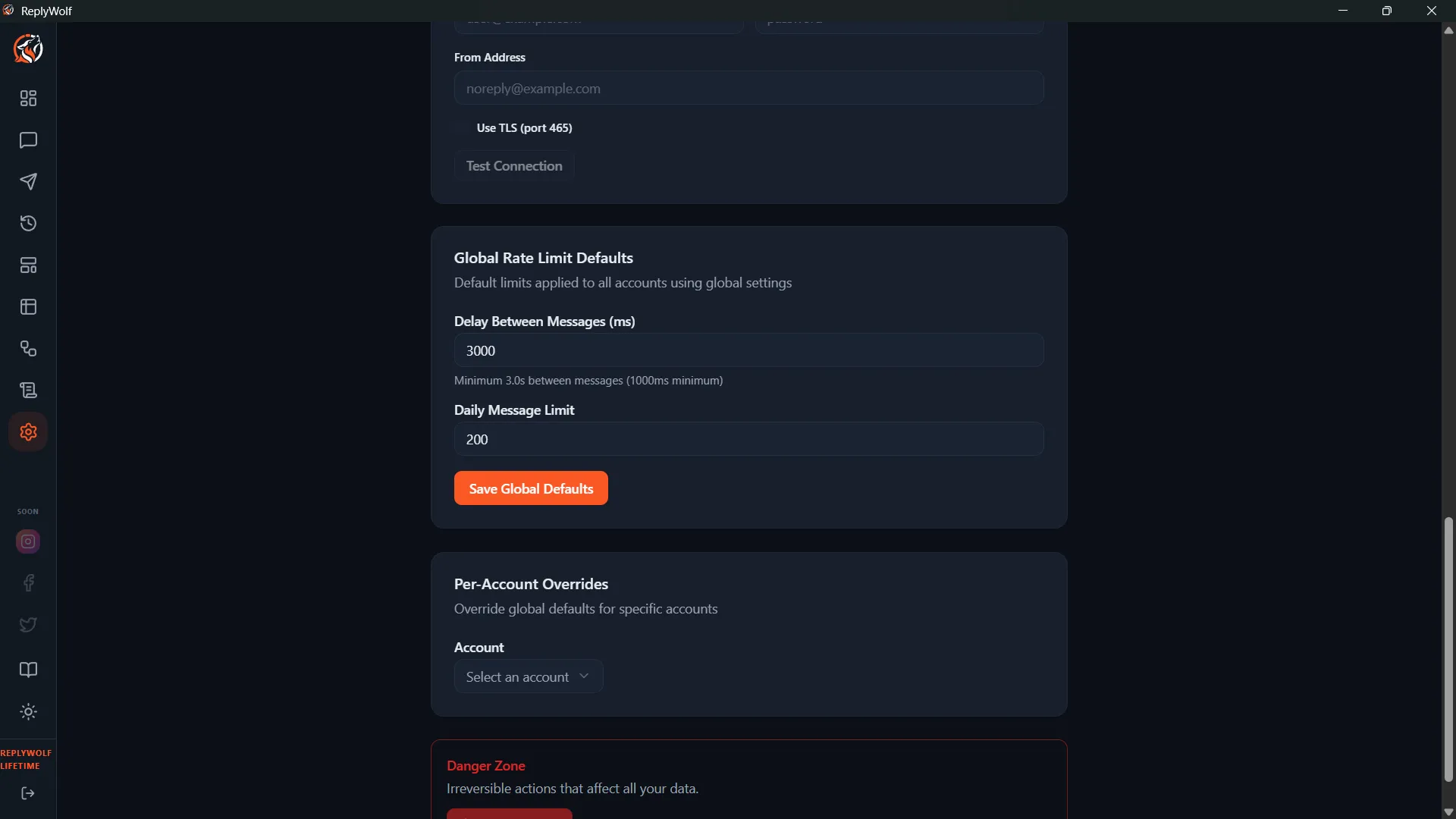
Daily Message Limit
The maximum number of messages a single WhatsApp account can send per day. Once this limit is reached, ReplyWolf stops sending messages from that account until the next day.
- Set a number that makes sense for your use case (e.g., 200, 500, 1000).
- Set to 0 for unlimited — but this is not recommended. Without a cap, a misconfigured flow could send thousands of messages and get your account restricted.
Delay Between Messages
The number of milliseconds ReplyWolf waits between sending each message. This adds a pause between sends to make your messaging pattern look more natural.
- Recommended range: 1000-3000ms (1-3 seconds between messages)
- Lower values send faster but increase the risk of WhatsApp rate limiting.
- Higher values are safer but take longer to work through a queue of messages.
Where These Apply
Rate limits apply to both:
- Flow execution — when flows send messages in response to triggers
- Bulk campaigns — when sending messages to a list of contacts
Why This Matters
WhatsApp monitors sending patterns and may temporarily restrict accounts that:
- Send a large number of messages in a short time
- Send messages to many new contacts quickly
- Get reported or blocked by recipients
Rate limits help you stay within safe boundaries. If you're just getting started, err on the side of caution — use lower daily limits and higher delays, then adjust as you get comfortable.