Create Contact
The Create Contact node adds a new row to a table. Use it to automatically build your contact list when new leads reach out.
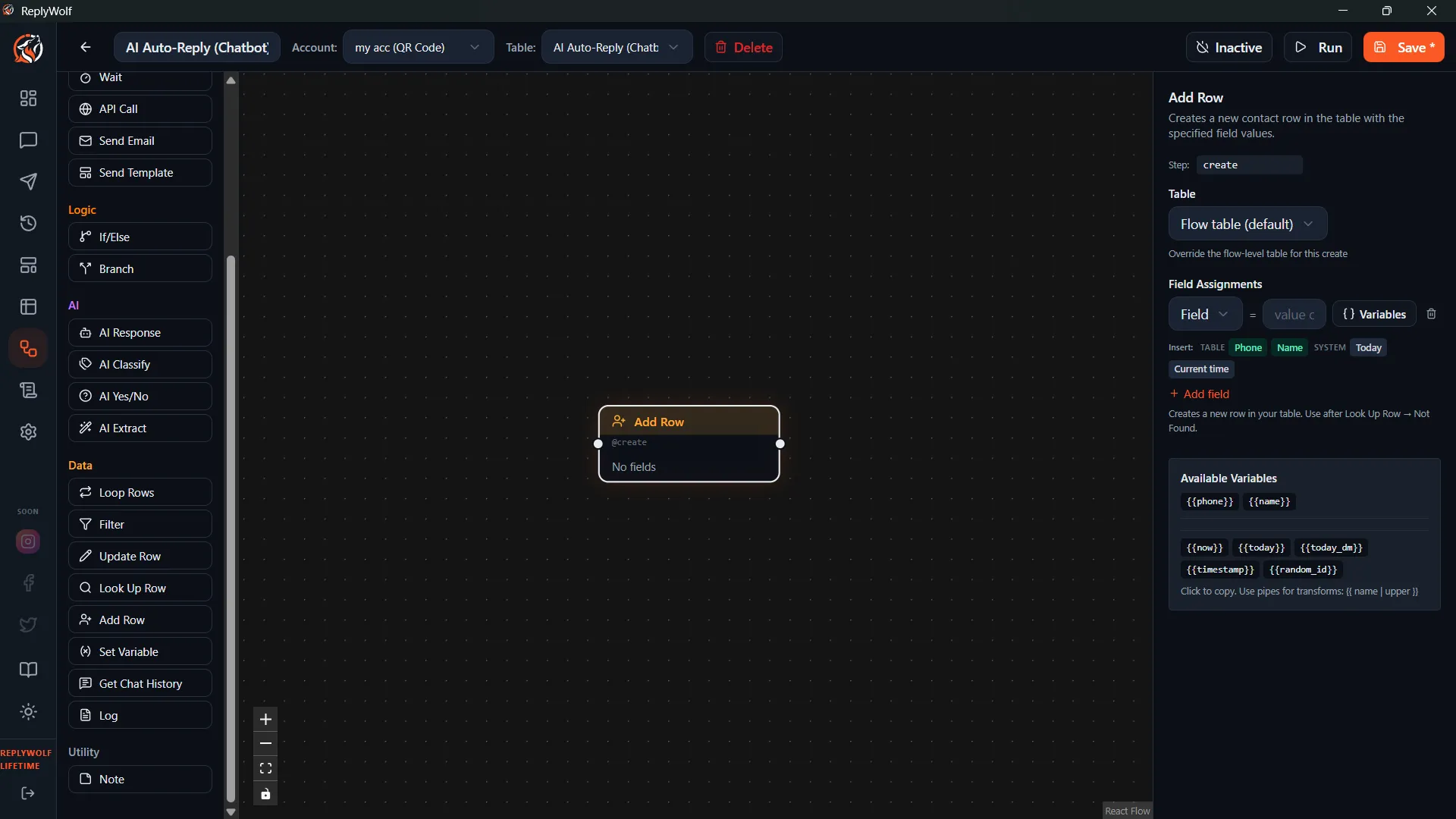
Configuration
Table
Select which table to add the new contact to.
Field Assignments
A list of field name and value pairs. Each one sets a column value for the new contact. Values support {{variables}}, so you can pull data from the current flow context.
Example assignments:
| Field | Value |
|---|---|
name | {{sender_name}} |
phone | {{sender_phone}} |
source | WhatsApp |
status | new |
first_contact | {{current_date}} |
Use Cases
Auto-create New Leads
When someone messages you for the first time:
- Incoming Message trigger fires
- Fetch Contact searches for their phone number
- If Not Found — Create Contact adds them to your leads table
- Flow continues with a welcome message
Save Extracted Information
After using AI Extract to pull an email or name from a message, create a contact record with that data:
| Field | Value |
|---|---|
email | {{extracted}} |
phone | {{sender_phone}} |
Tips
- Pair this with Fetch Contact to avoid creating duplicate entries. Search first, and only create if the contact wasn't found.
- You don't need to fill in every field. Set the important ones now, and use Update Contact later in the flow to add more data as you learn it.
- The newly created contact becomes the current contact for the rest of the flow, so their fields are available as
{{fieldName}}in downstream nodes.