Set Variable
The Set Variable node creates a custom variable that you can use in later nodes. It's a simple way to store intermediate values or combine data from multiple sources.
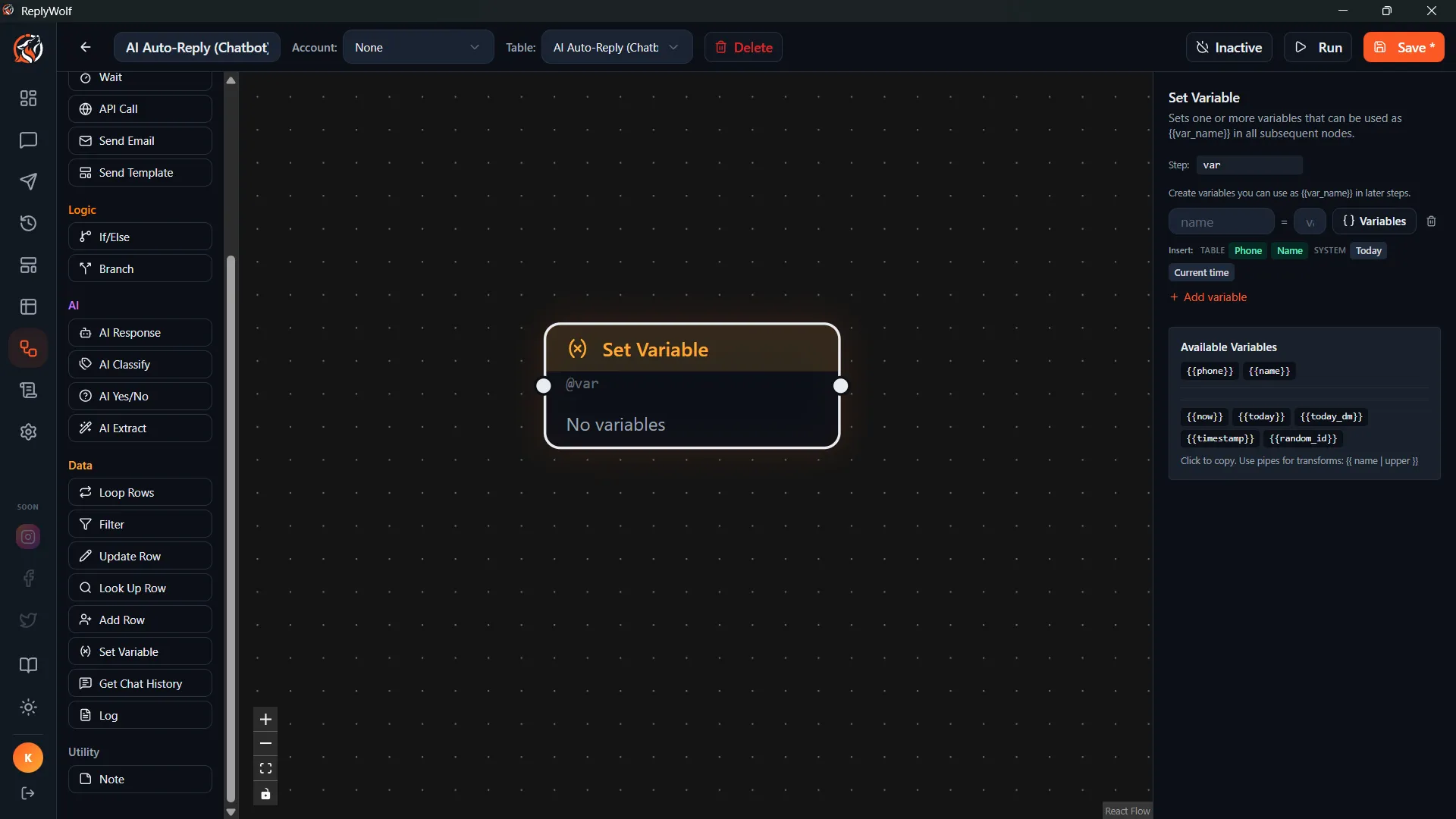
Configuration
- Variable name — the name you'll use to reference this value later
- Value — the value to store (supports
{{variables}})
Accessing the Variable
Once set, you can use the variable in any downstream node with:
{{variables.yourVariableName}}
For example, if you create a variable called greeting, you access it as {{variables.greeting}}.
Use Cases
Store an Intermediate Value
You want to build a personalized greeting that combines several pieces of data:
- Variable name:
greeting - Value:
Hi {{name}}, thanks for being a {{membership_tier}} member since {{join_date}}!
Then use {{variables.greeting}} in a Send Message node later.
Combine Data from Multiple Sources
After running several AI nodes, combine their outputs:
- Variable name:
summary - Value:
Category: {{classification}}\nSentiment: {{extracted}}\nSuggested reply: {{ai_reply}}
Prepare Formatted Text
Build a formatted message once and reuse it in multiple places:
- Variable name:
appointment_details - Value:
Date: {{appointment_date}}\nTime: {{appointment_time}}\nDoctor: {{doctor_name}}\nLocation: {{clinic_address}}
Tips
- Variable names should be descriptive. Use
follow_up_messageinstead ofmsgorx. - You can set multiple variables by chaining several Set Variable nodes.
- Variables persist for the duration of the flow execution. They're available to every node that comes after the Set Variable node.